The Power-Ups
Add the ones each board needs from Trello's Power-Up directory.

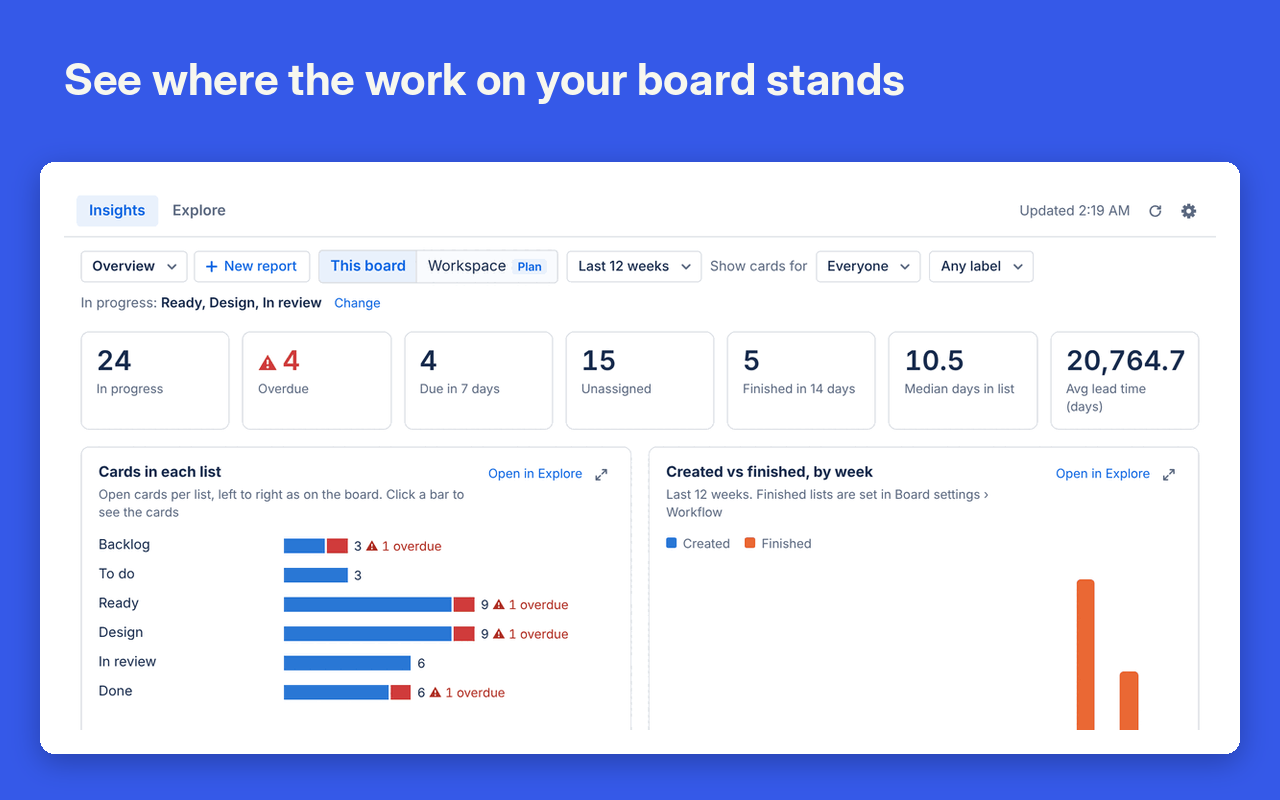
Board Insights
Charts for the board you have open, with nothing to set up.
More about Board InsightsWhere the work stands
Tiles count overdue cards and what is due this week.
Your own charts
Build one from a sentence of menus, or write SQL.
Stuck cards flagged
Badges mark cards that are blocked or untouched.

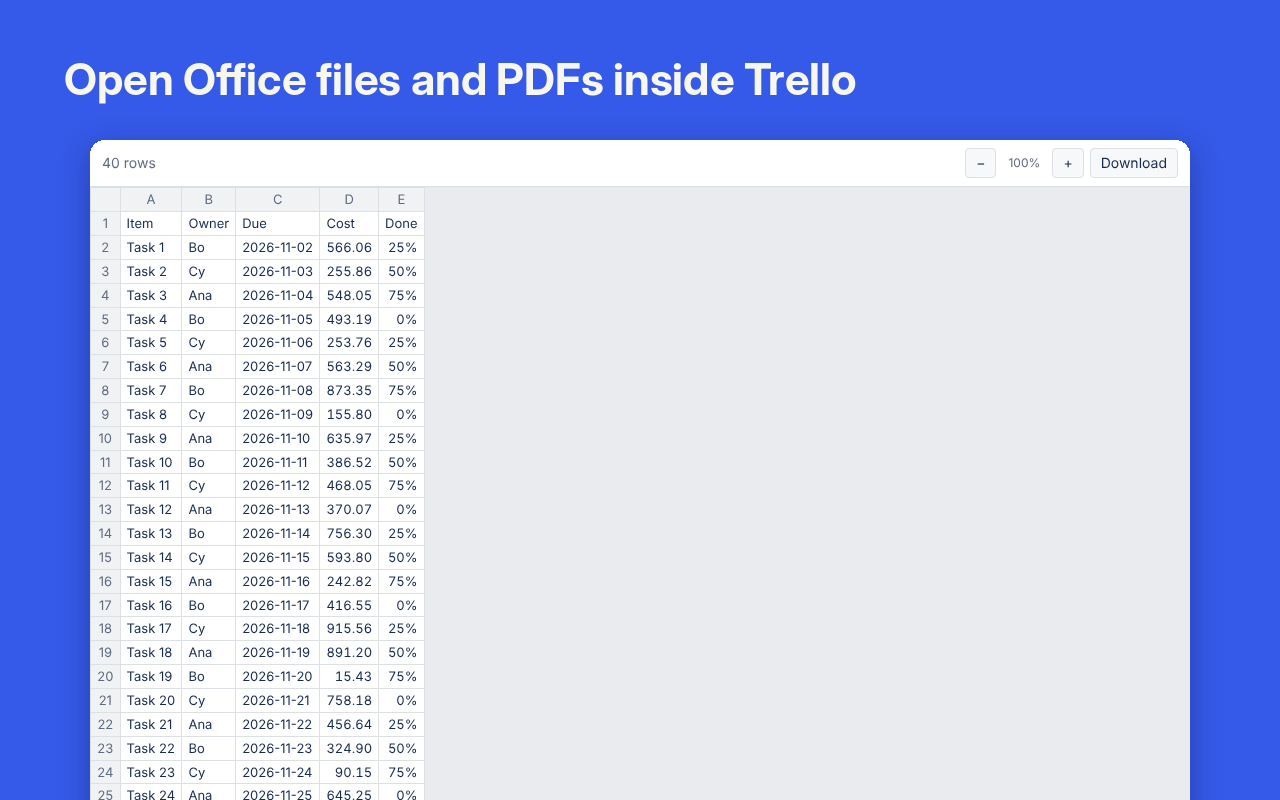
File Viewer
Read attachments on the card without downloading them.
More about File ViewerFull screen, with Find
Word, Excel, PowerPoint, PDF and about 150 other types.
Every file on the board
Search file names and the text inside documents.

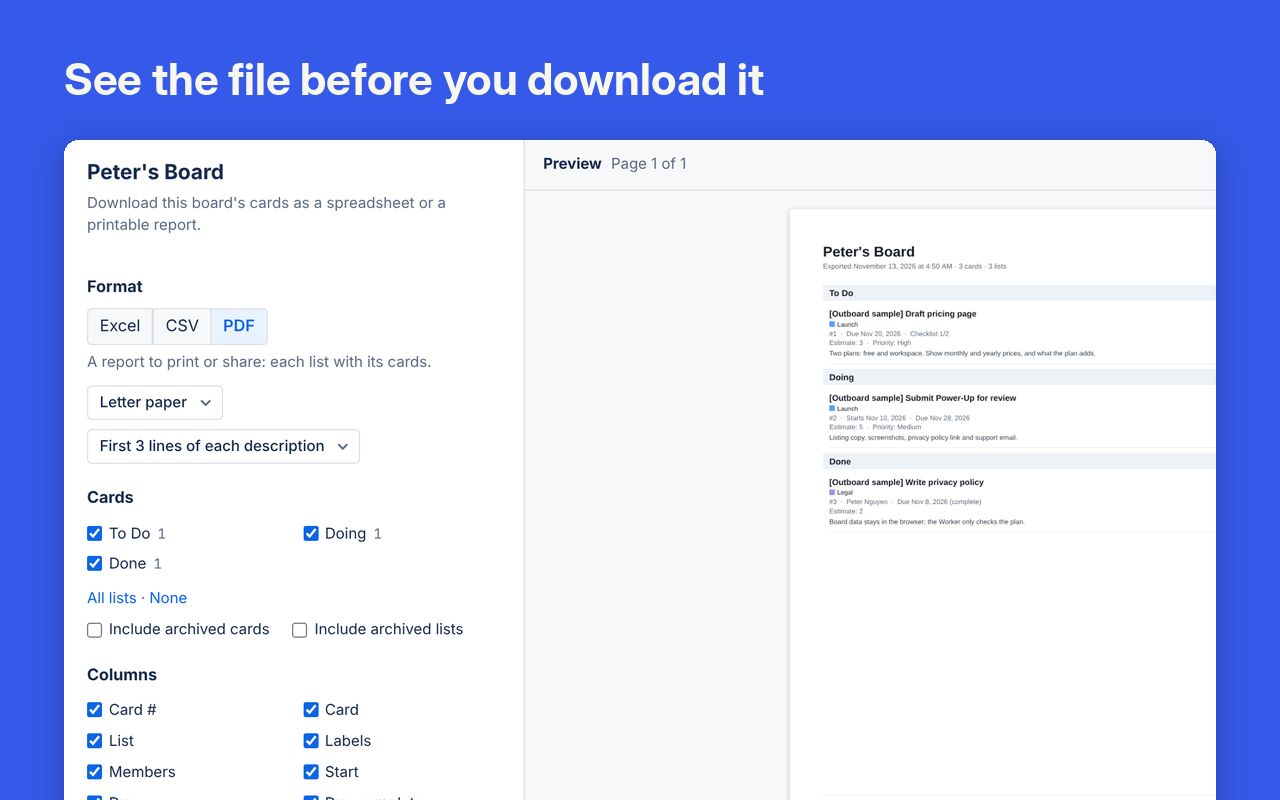
Cards Exporter
Download a board as Excel, CSV or a PDF report, or have it emailed to your team on a schedule.
More about Cards ExporterPreview first
Pick the lists and columns and watch the file update.
Ready to use
Workbooks have real dates and a frozen header row.
Scheduled emails
Every day, week or month, a summary of what changed on the board arrives with the file attached.

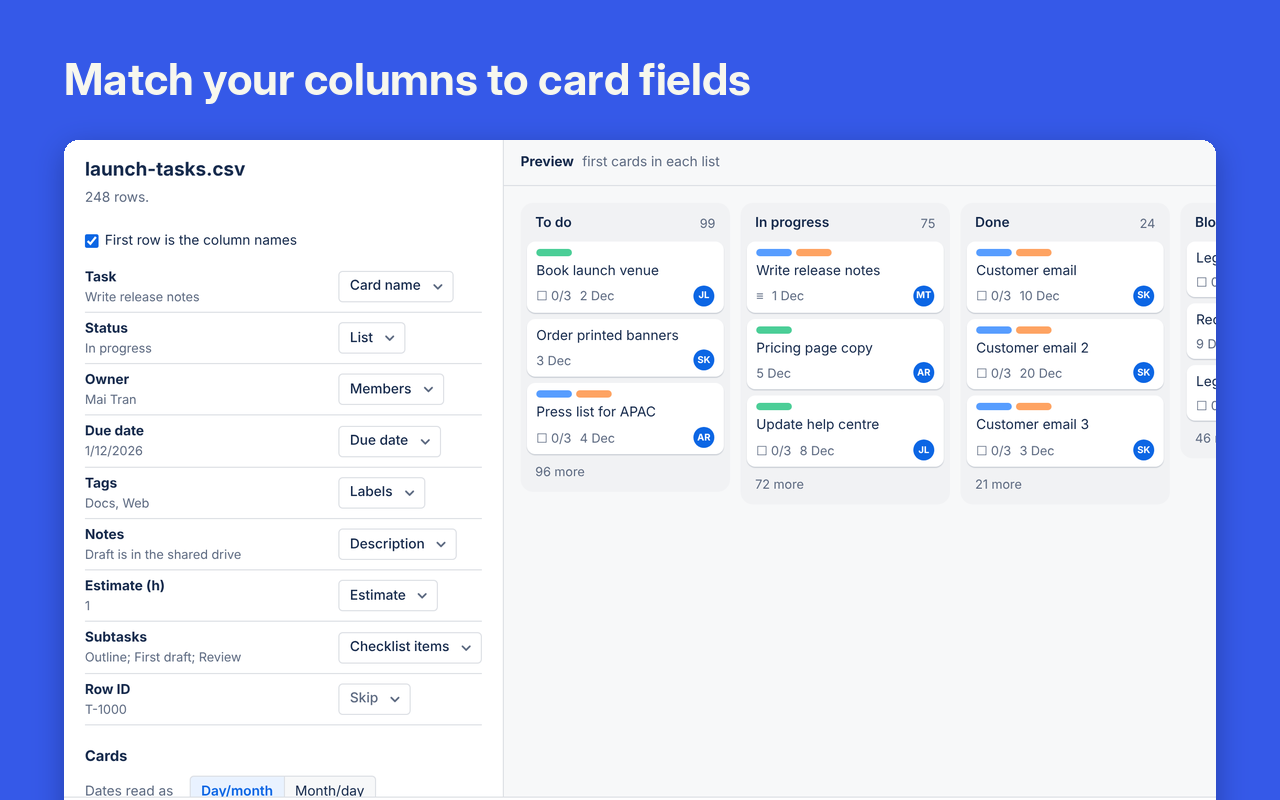
Cards Importer
Turn spreadsheet rows into cards.
More about Cards ImporterColumns matched for you
It reads exports from Jira, Asana and monday.com.
Checked before it runs
See what will be added, and undo it afterwards.

Card Fields
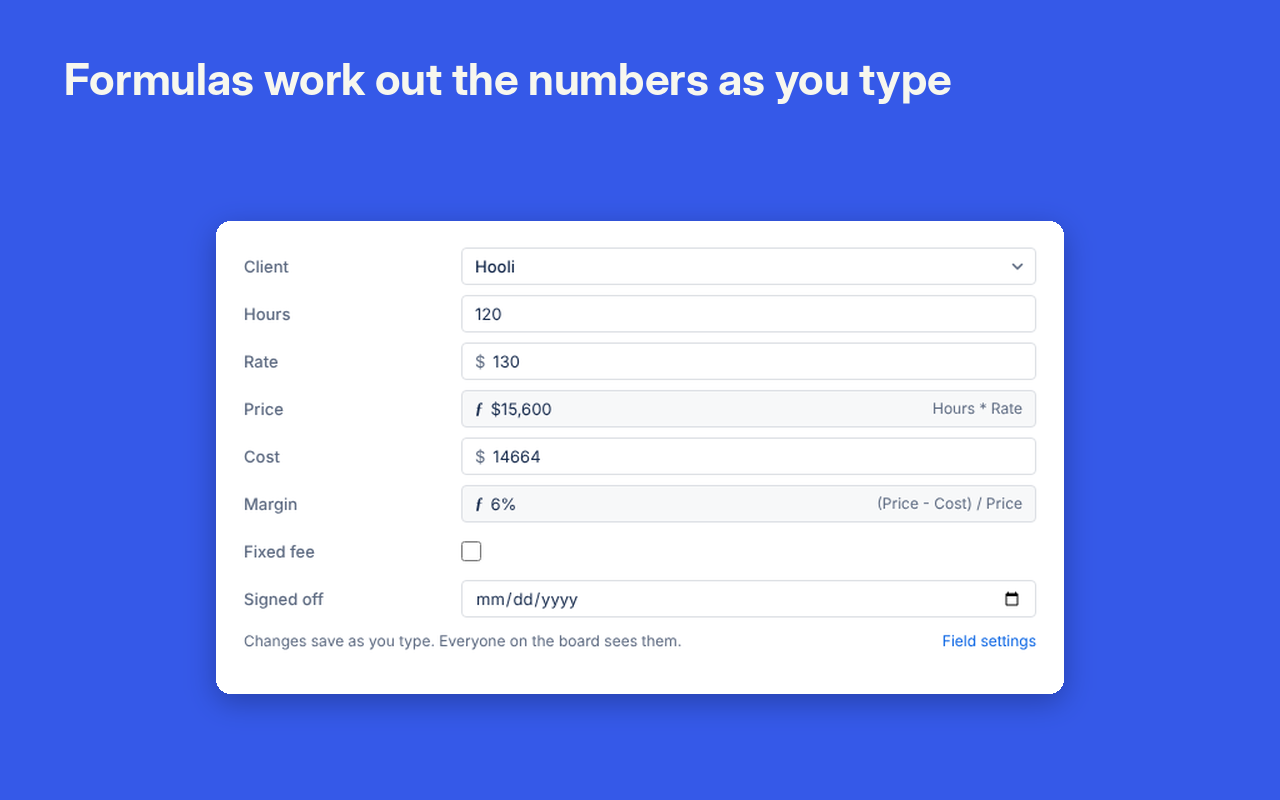
Number, currency, dropdown and formula fields on cards.
More about Card FieldsFormulas with your field names
Such as (Price − Cost) / Price.
Totals for each list
Sums, averages and counts from the list menu.
Intake Forms
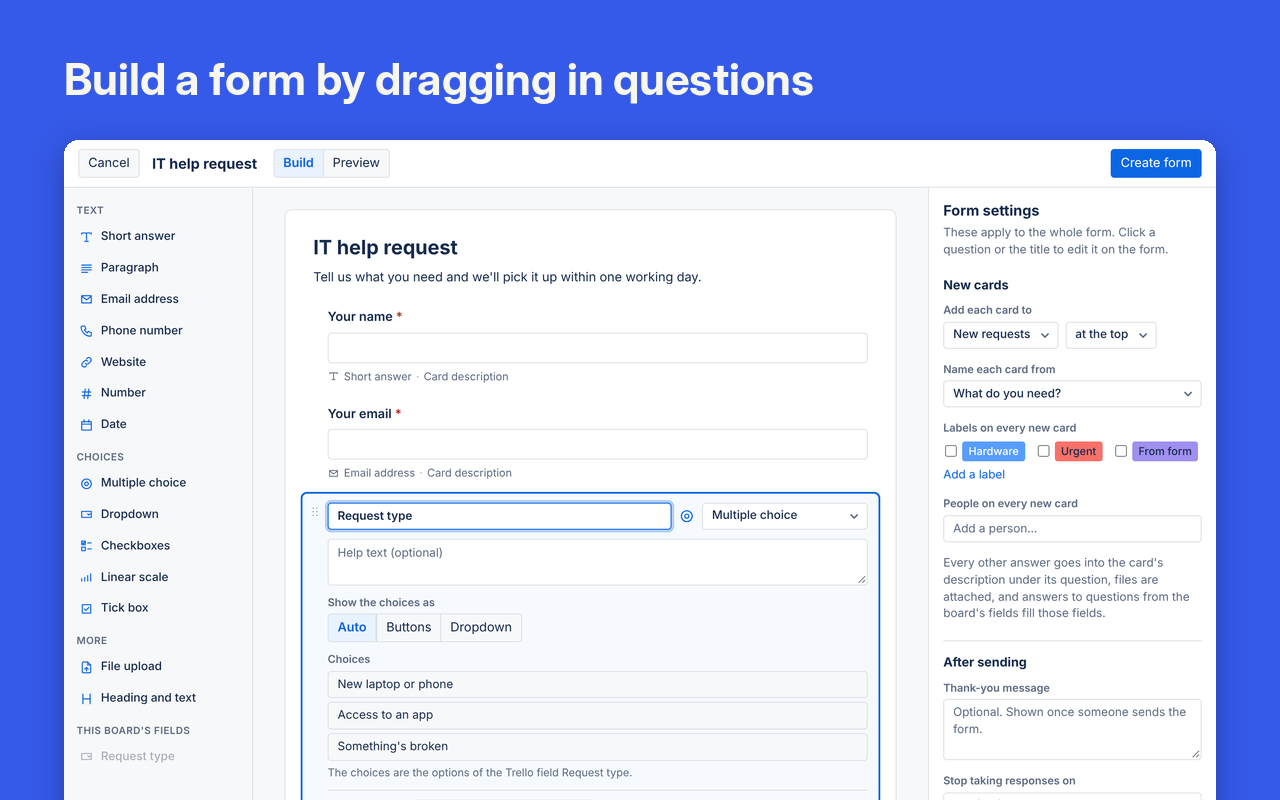
A public form that turns each response into a card.
More about Intake FormsDrag in questions
13 question types, including file upload.
No Trello account needed
Anyone with the link can fill it in.
Approvals
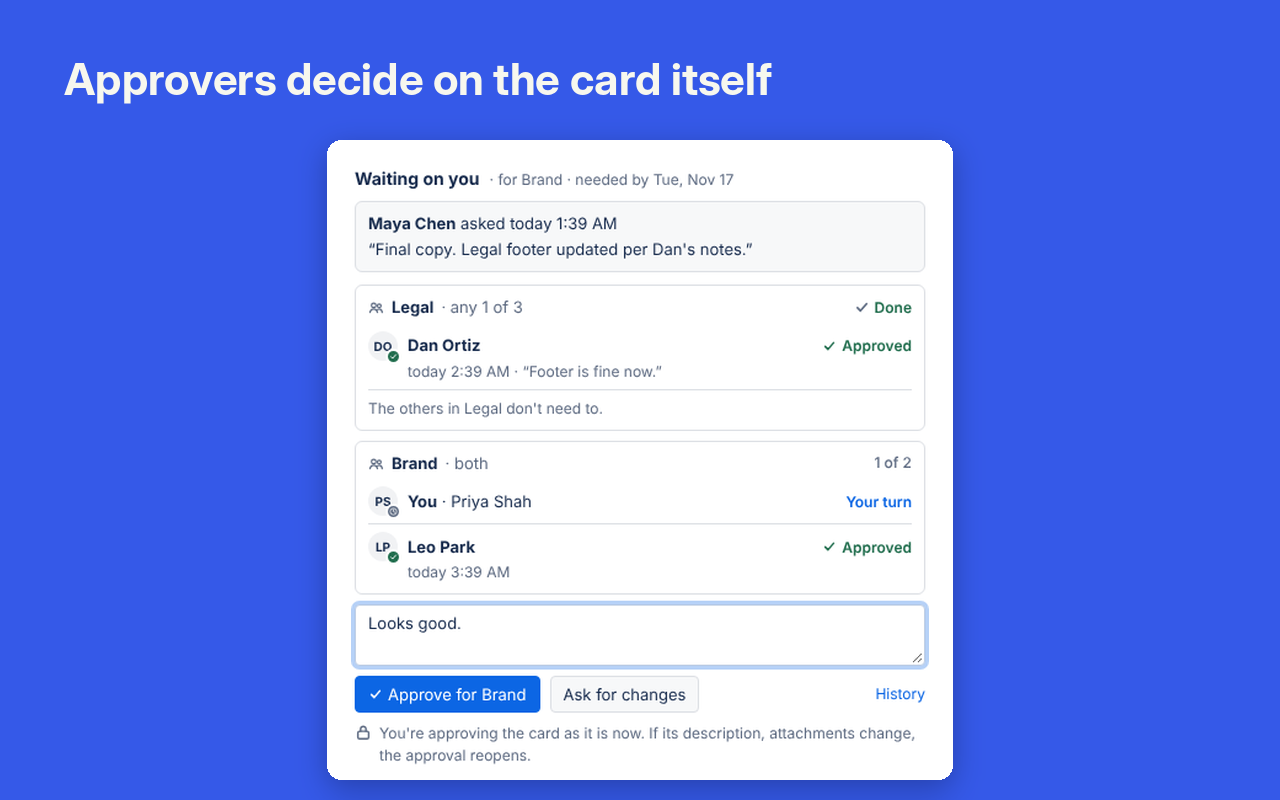
Ask named people to approve a card.
More about ApprovalsApprovers in order or together
Each one is notified with an @mention.
A record of every decision
It can't be edited, and it downloads as CSV.

SLAs
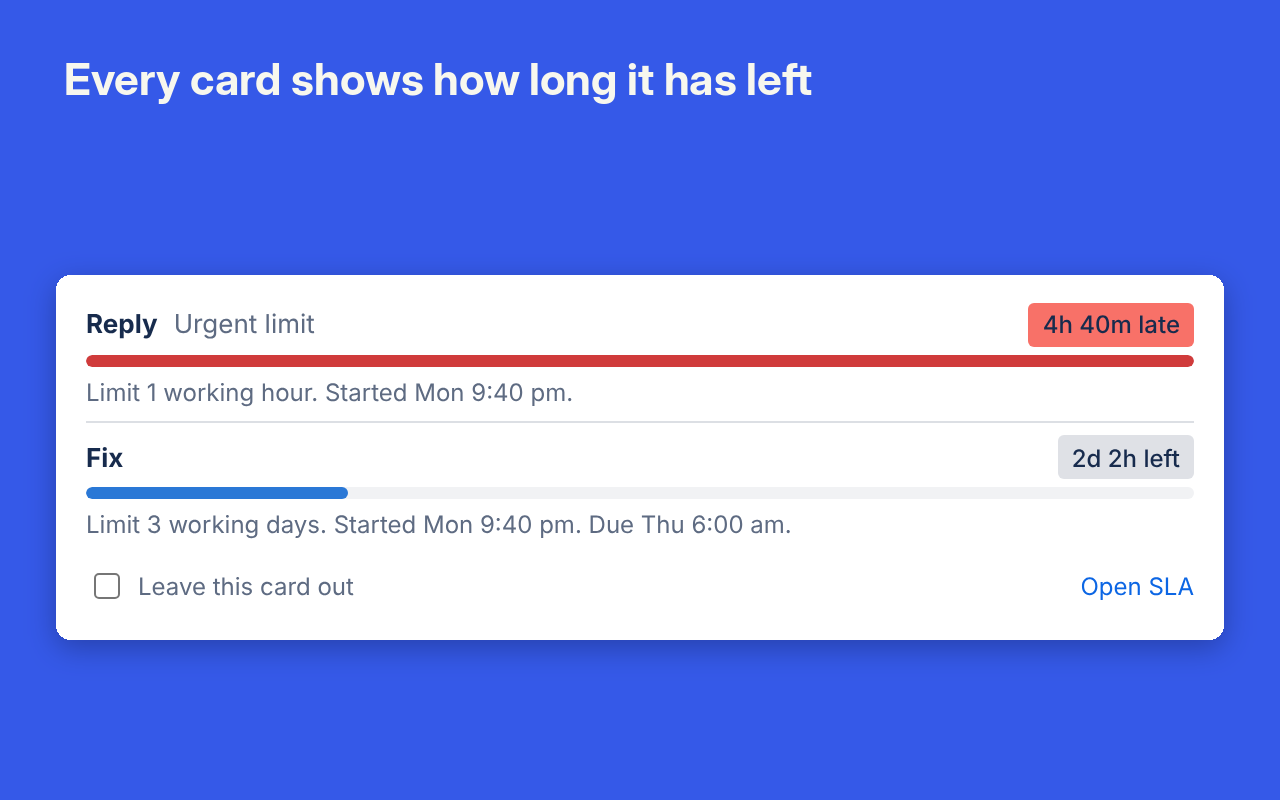
Time limits on lists, with a countdown on every card.
More about SLAsWorking hours only
Clocks skip nights, weekends and days off.
Late work stands out
Badges turn yellow near the limit and red past it.
Archive Manager
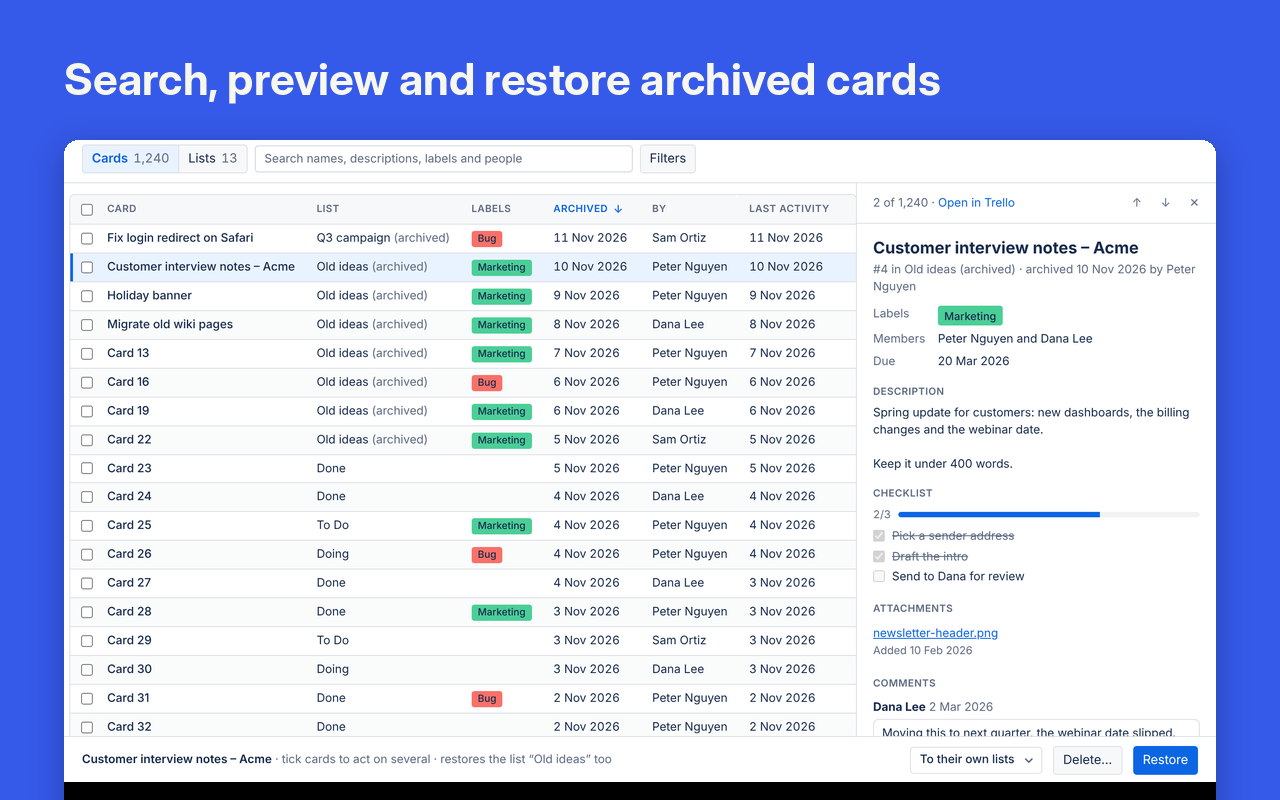
Find and restore archived cards from one table.
More about Archive ManagerSearch everything archived
Filter by list, person or date.
Restore in bulk
Tick the cards you want back, with Undo.

Share Links
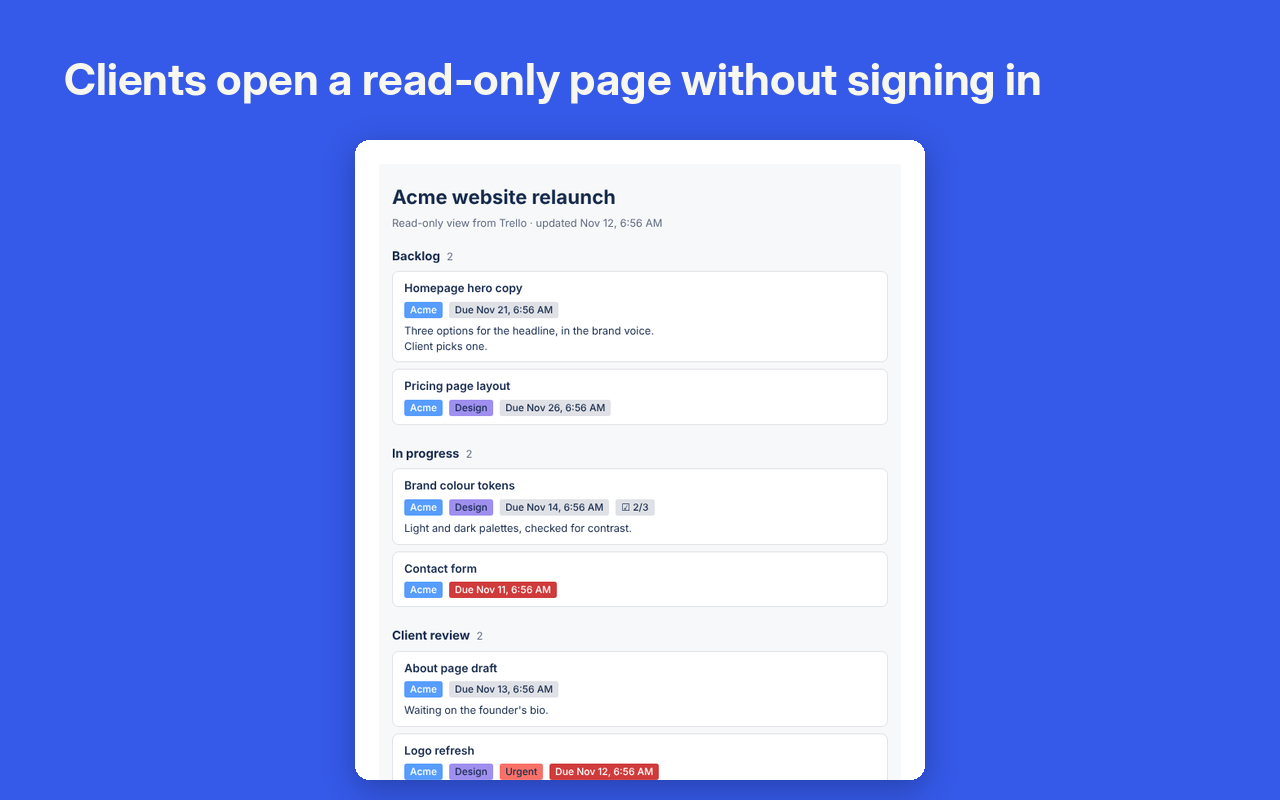
Show part of a board to people without Trello.
More about Share LinksOnly what you pick
Choose the lists, labels or single cards to show.
Links you control
Set an expiry or a password, or revoke them.
Add your first Boardwell Power-Up
Adding one to a board takes about a minute.
Try it free for 7 days
Audit Log
See who changed what across every board in a workspace.
More about Audit LogOld text kept in view
Renamed cards and edited descriptions show what was removed and what was added.
Read in your browser
It reads Trello's own history. Nothing is copied to our servers.
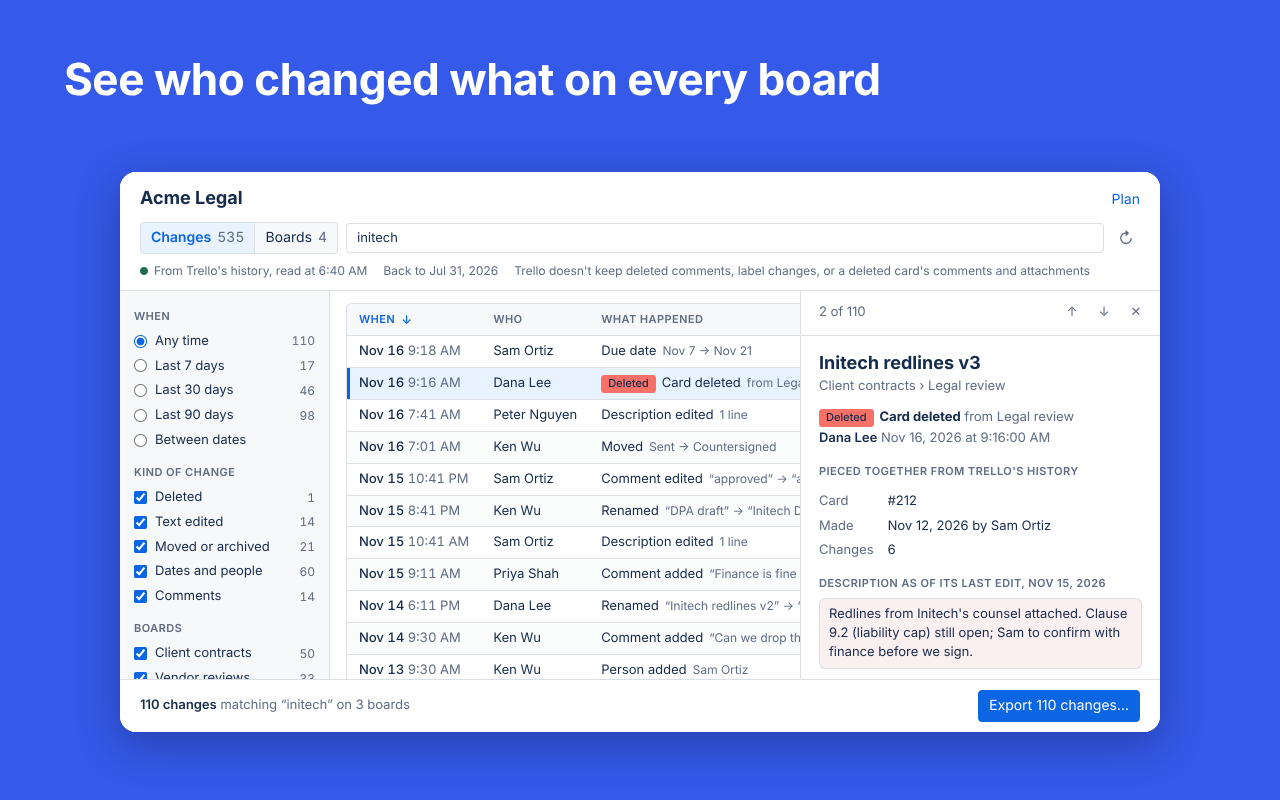
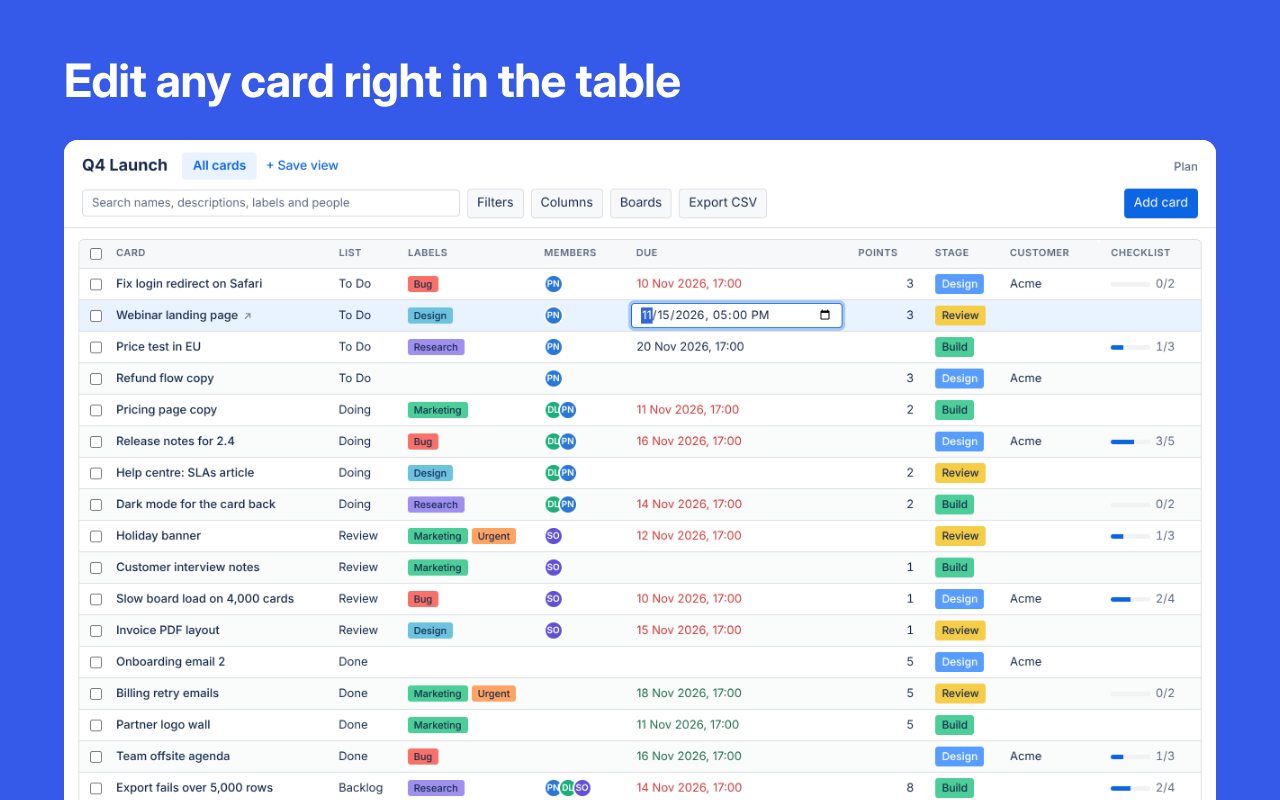
Table View
Every card on the board as a row you can edit.
More about Table ViewChange many cards at once
Tick cards to set their labels, members, list or dates in one step. Every change has an Undo.
Up to 10 boards in one table
Lists, labels and fields with the same name share a column.

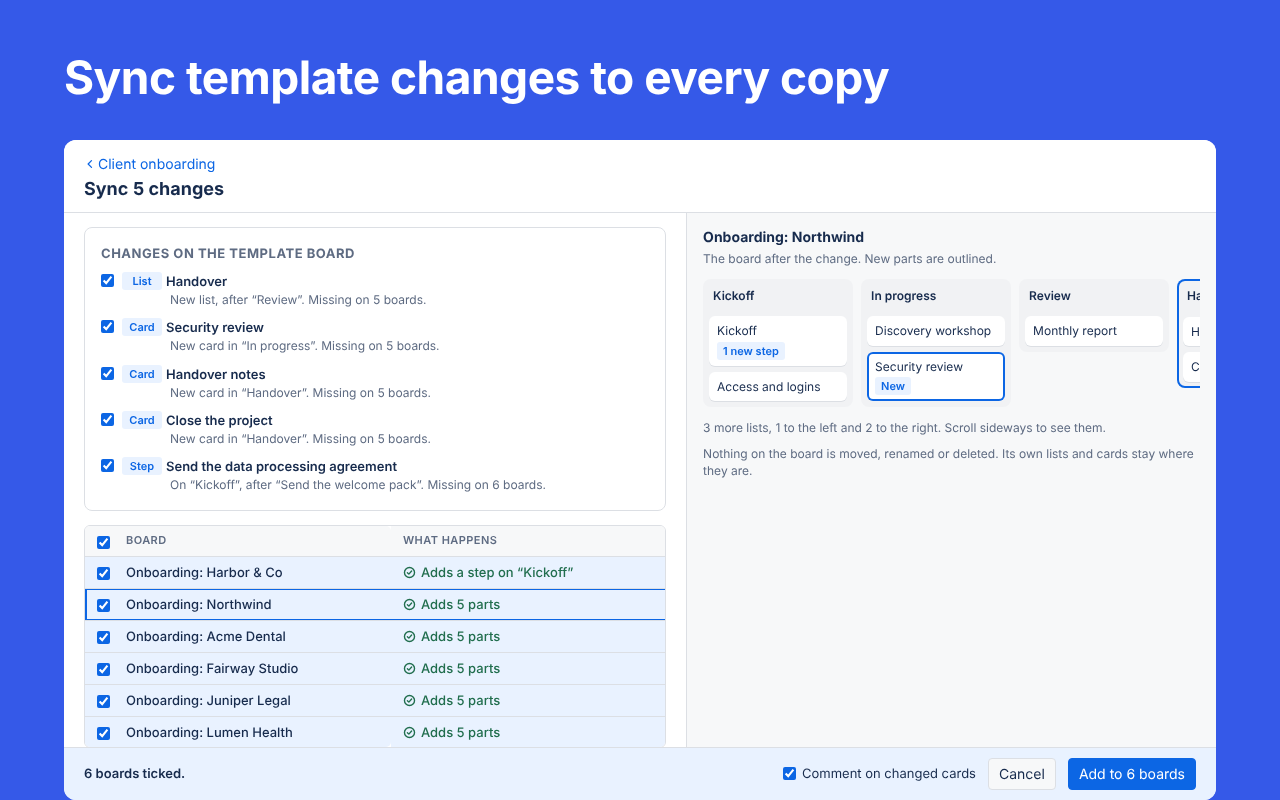
Master Templates
Manage your templates in one place, and keep every board and card made from them in sync.
More about Master TemplatesChange the template, then sync the copies
Add a list, card or checklist item to the template and send it to every linked board in one step. Nothing on the copies is moved or deleted.
Board and card templates
A new step on a card template reaches every card made from it, on any board.